
Made for families & groups
Plan the holiday together — on the same page, live.
One person shouldn't be holding all the bookings. With Plus you can share a trip with the family so everyone has the flights, the hotel, the seats and the plan on their own phone — kept in sync automatically. Creating a trip and joining one are always free.
Free essentials · iPhone & Android
Share in seconds
One code, and everyone's in.
Unlock sharing with Plus — or a one-off Trip or Group Pass for a single trip — then open a trip, tap Share, and send the code (or a WhatsApp link). Anyone who joins can view and add to the trip for free, with no separate accounts to set up first.
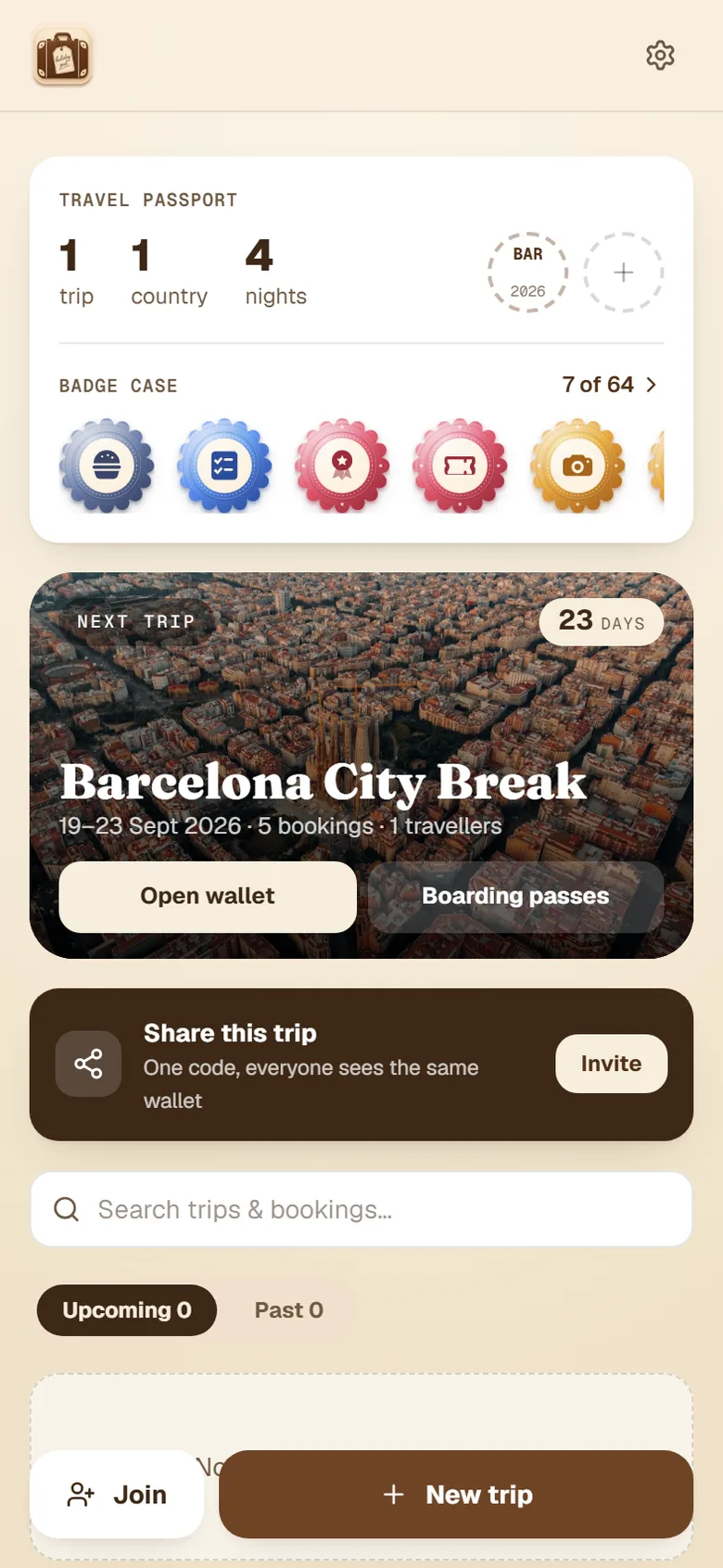
Always in sync
Add something on your phone, it appears on theirs.
Add a booking, tick a packing item or set a seat and it updates on everyone else's phone within seconds. No "which version is right?" — there's one shared trip and it's always current.
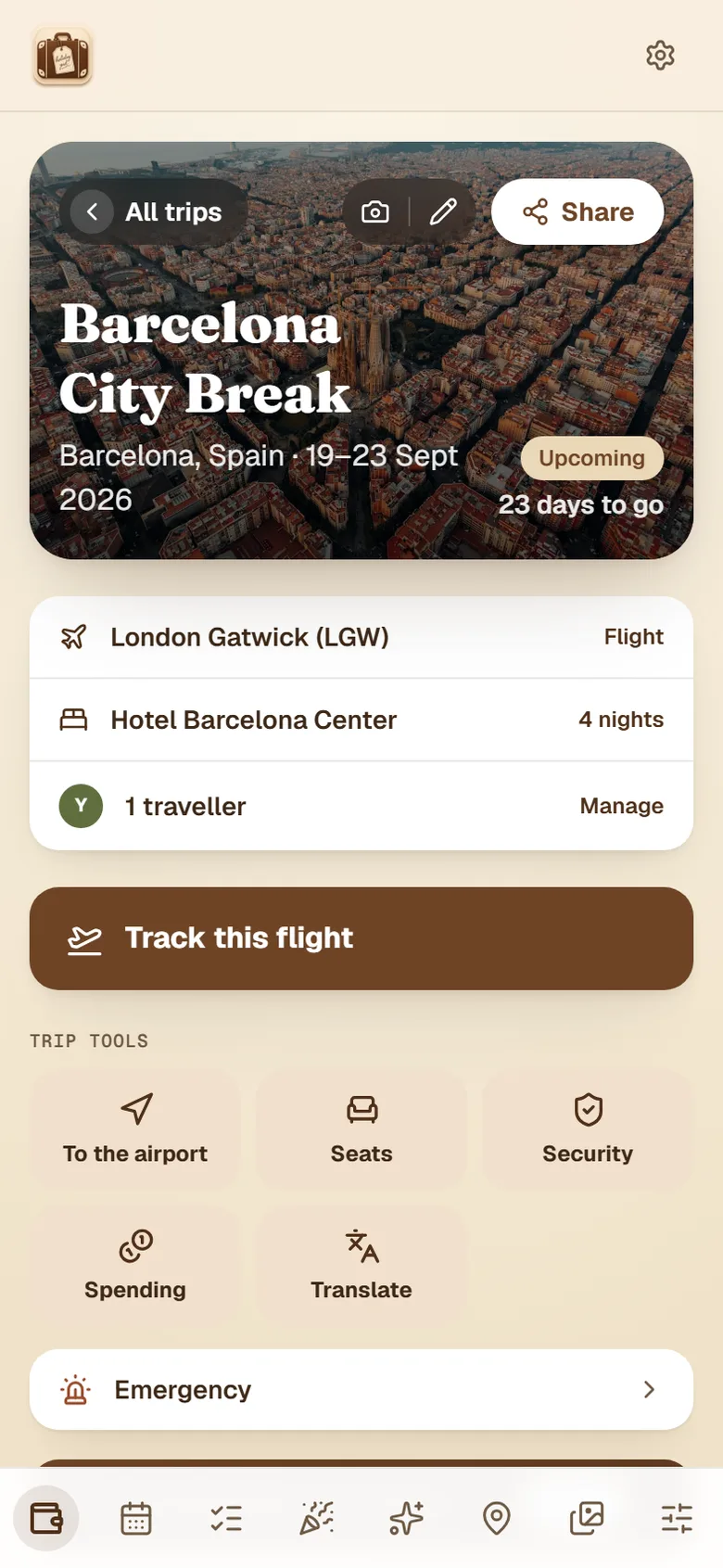
Join by code
Share a short code or WhatsApp link — the whole group joins the same trip.
Live updates
Changes sync across every phone within seconds, automatically.
Whose is whose
Each person's boarding pass and seat is labelled — no mix-ups at the gate.
Kids included
Fun countdowns, a kids' packing list and tick-off holiday adventures for younger travellers.
Why one person always ends up holding the whole holiday
On almost every family or group trip there is one person — usually the one who booked it — whose phone becomes the holiday. Every boarding pass is in their email. Every confirmation is in their inbox. They know which terminal, what time the transfer is and what the hotel is called, and everyone else knows none of it.
That is fine right up until it is not: they are in the loo when the gate changes, their phone dies on the second day, or they are simply asked what time the flight is for the eleventh time before lunch. The information was never really shared, it was just stored near enough to be borrowed.
Sharing a trip fixes the underlying problem rather than the symptom. Instead of one person forwarding things on request, everyone has the same plan on their own phone, kept current automatically. The organiser stops being a helpdesk, and everybody else stops having to ask.
What everyone sees once they join
Joining is a link, not a sign-up form. Tap it and the whole trip is there: the flights with live status, the hotel, the boarding passes and tickets labelled with whose is whose, the seats, the day-by-day plan, the packing lists and the countdown. Add something on your phone and it lands on everyone else’s within seconds.
Because joining is free and needs no account, the awkward part of group organising simply disappears. You are not asking nine people to download something and create a password before the holiday has even started — you are sending them a link, and they are in.
It works the same shape whether it is two of you or twenty: a family holiday, a group trip, a cruise, or a stag or hen weekend. Travelling with children? There is a kids’ mode built into the shared trip.
Get the whole family organised.
Create a trip, share the code, and let everyone keep it up to date together.
Free essentials · iPhone & Android
Heading to the airport as a group? See the airport tools
Sharing a trip — common questions
How do I share a holiday with my family?+
Open the trip, tap Share, and send the short code or the WhatsApp link. Everyone who opens it lands on the same trip with the same flights, hotel, boarding passes, seats and lists. There is nothing to set up on their side and no invitations to accept — the link is the invitation.
Does everyone need to create an account?+
No. Joining a shared trip is deliberately free and does not require an account, because the moment you ask ten people to sign up for something, three of them never do and you are back to screenshots in the group chat. Anyone with the code or link can view the trip and add to it.
Is trip sharing free?+
Joining a shared trip is always free. Being the person who shares one is a Plus feature — so the organiser needs Plus, a one-off Trip Pass for a single trip, or a Group Pass. Everyone else just taps the link. In practice that means one person pays and the whole group gets the benefit, which is usually how a family holiday works anyway.
Can everyone edit the trip, or only look at it?+
Everyone who joins can add to it. That is the point — if only one person can edit, you have made a nicer version of sending screenshots. When someone adds a booking, ticks a packing item or sets a seat, it appears on everyone else's phone within seconds.
Does it work if some of us have iPhones and some have Android?+
Yes. HolidayPal is on the App Store for iPhone and Google Play for Android, and also runs in any browser. Everyone sees the same shared trip whichever they are using, so nobody is left out because of their phone.
Can I share with someone who isn't actually coming?+
Yes, and it is more useful than it sounds. Sending the trip to whoever is feeding the cat, collecting you from the airport or simply worrying about you means they can see the flight times and the plan without having to ask. They join the same way as everyone else.
How does it handle everyone's boarding passes?+
Each person's boarding pass and seat is labelled with whose it is, so at the gate you are not scrolling through five identical PDFs trying to work out which one is yours. The same goes for tickets and seats — the trip shows the whole group's, clearly attributed.
What about travelling with kids?+
Children can be included in the shared trip with a countdown, their own packing list and tick-off holiday adventures. It gives them something to do with the trip other than ask how long is left, and it keeps their packing off the adult who would otherwise be doing all of it.